8 LMS Customization Best Practices (and Where Most Teams Get Them Wrong)



This blog covers the 8 LMS customization best practices in priority order. Learn where to start customizing your LMS, and where most teams go wrong.

This blog covers the 8 LMS customization best practices in priority order, from the experience of Head of People, Sarah Hamilton. Learn where to start customizing your LMS, and where most teams go wrong.
- 1. Start with workflow automations, not visual branding
- 2. Connect your HRIS and payroll systems
- 3. Customize training assignments by role, location, and policy requirement
- 4. Set up audit-ready reporting and compliance documentation
- 5. Balance customization with simplicity
- 6. Keep customized content current as policies and requirements change
- 7. Add branding once your operational foundation is set
- 8. Measure, iterate, and improve over time
- Build an LMS customization strategy that lasts
Test Your Compliance
Find out if your company is compliant in two minutes with our free Compliance Grader.
Get Your Free ReportThe first thing most HR teams do when they get access to a new LMS is upload the company logo….sigh. I completely understand the instinct because it feels like progress and it's the fastest way to make a new system look like it belongs to your company. I can’t judge because I've done it myself. But at the end of the day, it’s the lowest-leverage customization available to you, and starting there usually means the settings that actually save time get configured last, if they get configured at all.
True LMS customization has very little to do with design, or should I say, cosmetic design. The teams that get the most out of their platform start with the workflows: how training gets assigned, how employee data flows in, how requirements get mapped to roles and locations, and how records get pulled when someone asks for them. Customization doesn’t automatically equal your company's color palette and logo. While branding is still important, there are many other items that should come before it.
This article walks through eight LMS customization best practices in priority order from my personal experience — HRIS and SSO syncs first, then automated assignments and reminders, role- and location-based rules, reporting and policy acknowledgments, and finally the learner-facing polish. Along the way, I'll share how a few EasyLlama customers have actually put this into practice.
1. Start with workflow automations, not visual branding
Before you customize anything an employee will see, configure the operational backbone that keeps training running without you having to touch it every week.
Why operations come before appearance
Most LMS customization guides lead with branding. But the customizations with the fastest return are workflow automations: automated course assignments, reminders, recertification schedules, and completion tracking. Get those right, and the rest of the system starts running itself.
Here's a priority order worth following: HRIS and SSO syncs first, then automated assignments and reminders, then role- and location-based rules, then reporting and certificates, and only then learner-facing branding. That order answers the question HR actually cares about first — what should I customize to save the most time and reduce the most risk — before it gets to the question of what looks the most polished.
Set up automated assignments and reminders
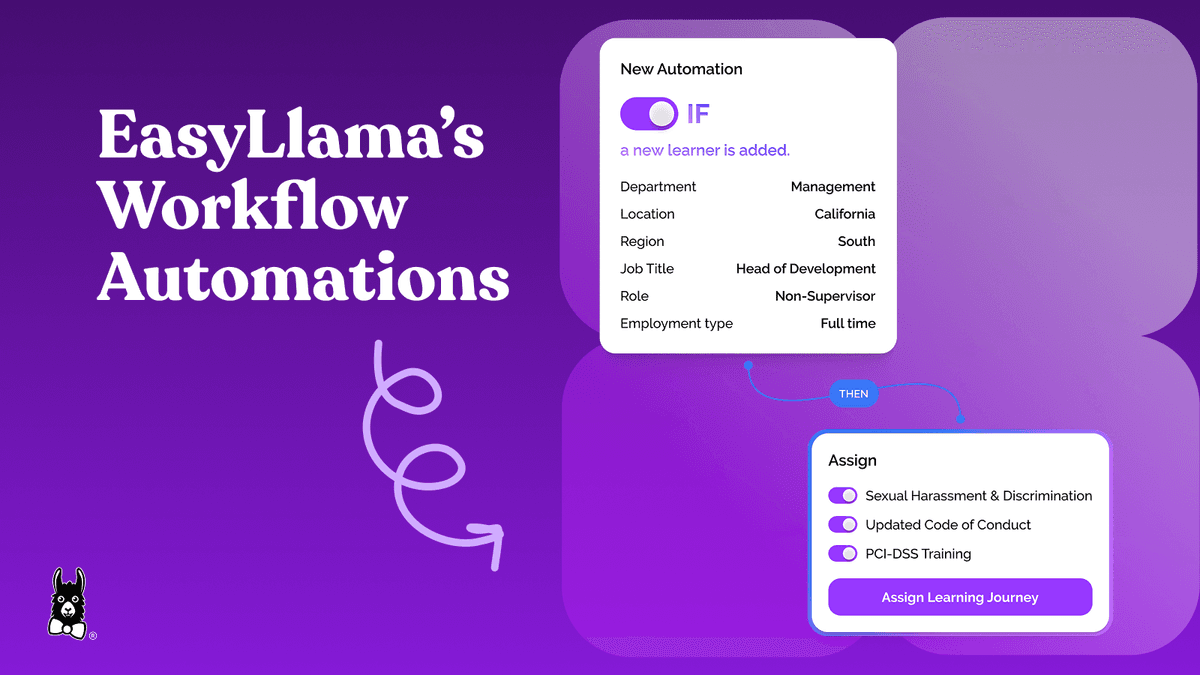
Automated course assignments triggered by hire date, role change, or recertification deadline remove the need for someone to remember to follow up. Automated email and SMS reminders raise completion rates without adding a single task to anyone's plate. EasyLlama's workflow automations trigger assignments from hire dates, manage recertification schedules, and send reminders on their own, cutting the manual admin work that used to eat up an HR team's week.
Natural Retreats put this to work managing training for 350+ employees across more than 20 states, with only six people on the HR team and a single dedicated L&D leader. Emily Fieser, the company's Director of Culture & Development, described the effect this way: "EasyLlama really eliminates a heavy administrative burden. The platform is really easy to navigate, manage, and keep tabs on — both at the bird's-eye view and at a granular level." That's what hands-off automation is supposed to feel like: visibility without babysitting.
2. Connect your HRIS and payroll systems
Integrating your LMS with the HR tools you already use keeps employee records in sync automatically — new hires, role changes, terminations — instead of requiring someone to update three systems by hand every time something changes.
Disconnected systems are where data gaps start. A new hire who isn't synced yet doesn't get assigned training on day one. An employee who changed roles last month is still getting the old learning path. A termination that didn't sync means an ex-employee still technically has access. None of these are dramatic failures on their own, but they compound into real compliance risk over a year. Risk that we can't afford!
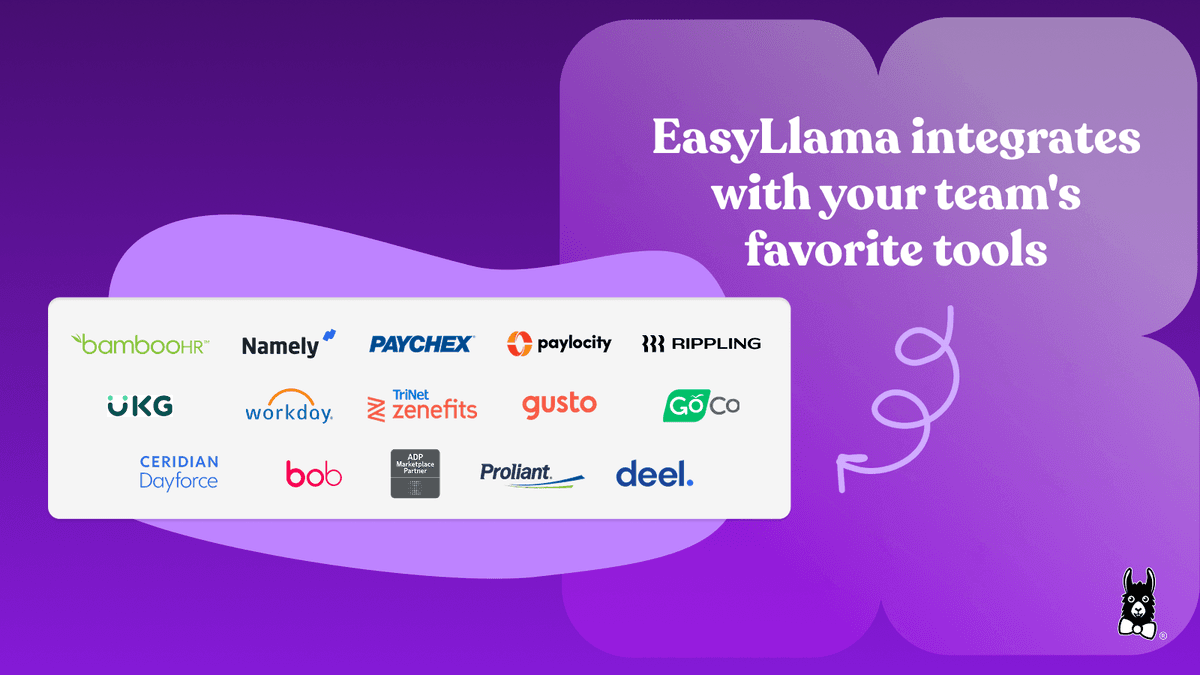
EasyLlama connects with the HRIS and payroll systems most companies already run on, including BambooHR, Workday, Gusto, ADP, and Paylocity, and most customers get the connection live in under a day. Once it's on, it replaces manual provisioning with a single automated workflow instead of a recurring task on someone's calendar. Emily Fieser put it plainly when describing what that connection meant at Natural Retreats: "EasyLlama's API connection with our HRIS was fundamental. As team members are onboarding, they're getting assigned their training automatically, and when they're leaving, they're automatically archived."
3. Customize training assignments by role, location, and policy requirement
Tailoring who receives which training, and when, is what lets employees complete the right courses without anyone on your team manually mapping every rule for every jurisdiction.
Use role- and location-based assignment rules
Set up assignment rules based on the attributes you already track: role, department, location, industry, or a custom field you define yourself. Done well, this ensures compliance training reflects the actual legal requirements for each employee's jurisdiction, without your team tracking changing state and local laws by hand. EasyLlama automatically determines which training is required versus recommended based on location, role, and industry, so admins aren't the ones translating legal text into assignment logic.
Pipl is a good example of what this looks like in practice. As a 150-person remote company spread across 15 states, they moved away from a single broad training session and assigned only the location-specific course each employee actually needed. Anne Gleaton, Pipl's Director of HR and Talent, explained the math: "When you think about training 100 people, for instance, taking a one-hour location-specific EasyLlama course versus our old, broader training that lasted two hours, you've just saved 100 working hours."
Build guided learning paths
Learning paths organize multiple courses into a clear, sequenced track based on role, skill level, or compliance requirement. Done well, they answer the question every learner eventually asks — what do I take next, and why — before they have to ask it. EasyLlama's Learning Journeys feature supports flexible sequencing along with role-, location-, and skill-based assignments, so the path adjusts automatically as the underlying rules do.
4. Set up audit-ready reporting and compliance documentation
Customizing your reporting setup before an audit, not during one, is the difference between pulling a report and reconstructing one from scratch.
Configure dashboards and automated reports
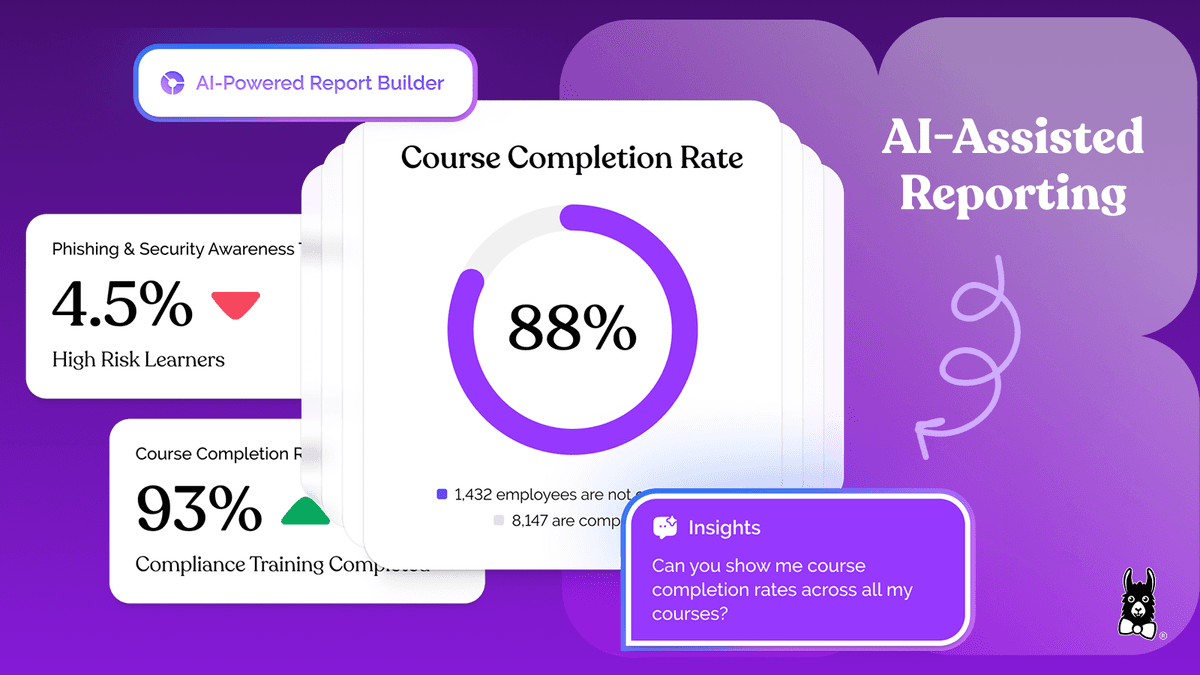
Dashboards that show completion status by team, role, location, or course let HR spot gaps before they become someone else's problem to find. Scheduling automated reports to the right stakeholders keeps compliance data current without anyone having to remember to run it. EasyLlama's AI-powered Custom Report Builder lets admins build reports around the exact metrics, teams, and KPIs that matter, with filtering and segmentation built in rather than bolted on.
Sarah Mackay, HR Director at Adams Fairacre Farms, described how this plays out across a large, multi-location retail team: "I really like how easy the reporting capabilities are in EasyLlama. We are keeping track of everyone who's compliant and where the completion rate is. We have trainers in every store location, and we can simplify their access permissions so they can pull reports and slice and dice them how they need for their stores and for the departments."
Automate policy acknowledgments and certificate management
Centralizing policy assignments, signature requests, and certificate storage gives your team a defensible trail before anyone asks for one. EasyLlama's Document Management & Document Signature tools automate bulk policy assignments and signature requests, capture timestamped acknowledgments, and support bulk certificate export, so pulling proof of review doesn't mean digging through a shared drive.
5. Balance customization with simplicity
Over-customizing an LMS can make it harder to use and harder to maintain than not customizing it at all. The goal is a system tailored enough to be relevant, but simple enough that admins and learners can move through it without friction.
Recognize when customization hurts adoption
Over-customization tends to look like too many permission layers, navigation that's grown more complex than it needs to be, excessive branching in learning paths, or so many custom fields that reporting stops being reliable. Every customization adds some maintenance overhead, and if a setting needs regular manual upkeep just to stay accurate, it may not be worth keeping. Auditing your LMS configuration quarterly is a reasonable cadence for catching settings that no longer serve their original purpose.
Sarah Tobey, Chief Relationship Officer at Tech Legion, described what the alternative feels like: "I can't state enough how simple the process is, which is great. It's easy to use. I feel like EasyLlama's straightforward." That's worth holding onto as a benchmark — simple enough that your team doesn't have to think about the tool to use it well.
Keep the learner experience clean and intuitive
The best LMS customizations are invisible to the learner. They see relevant courses, clear deadlines, and a clean interface, not the logic running underneath it. Limit portal customization to what genuinely aids navigation: clear course categories, progress indicators, and plain terminology. EasyLlama's mobile-friendly, WCAG 2.2 AA–compliant learner experience supports accessible, inclusive learning without requiring complex configuration to get there.
6. Keep customized content current as policies and requirements change
Training content built around last year's policies creates this year's compliance gap. Build a process for updating courses as laws, internal policies, and workplace procedures evolve, rather than waiting for a gap to surface it for you.
Build a content update workflow
Set a regular review cadence, quarterly at minimum, to check whether courses still reflect current regulations and company policy. Assign ownership so one person is responsible for flagging when laws change in the jurisdictions where you operate. Version tracking helps here too, so admins can see at a glance when a course was last updated and what changed.
Use AI-powered tools to update courses quickly
Traditional content updates often mean outside vendors, long timelines, and real budget, which is exactly the kind of bottleneck that leaves outdated content circulating longer than anyone intended. EasyLlama's AI Course Authoring Tool lets admins generate or revise a full course in minutes from a prompt, making it practical to update training as policies or laws change without waiting on an external development cycle. AI-powered editing tools support quick updates at any time without starting over, and courses can be rebuilt with interactive, mobile-friendly templates rather than static slides.
Natural Retreats rolled this out beyond a single L&D owner, giving leadership teams and their direct reports access to build training specific to their own departments and sites. As Fieser described it: "The Course Authoring Tool allows us to build out the specificity around departments, sites, and teams, without having to start from scratch or leave the platform." Samantha Sherman, HR Manager at Zenetec, described a similar shift after years of outsourcing updates: "We wanted training that actually reflected how we work at Zenetec, and now with EasyLlama, we can build and update that internally as the company continues growing."
7. Add branding once your operational foundation is set
Branding your LMS with company logos, colors, and custom video is genuinely valuable. It builds trust and makes training feel like part of the employee experience rather than a third-party tool bolted onto it. That's not a low-value customization — it just isn't the first one.
Branding delivers the most impact after your workflow automations, integrations, and assignment rules are already in place, because at that point the system is already working the way it should, and the branding reinforces credibility rather than compensating for friction underneath it. Customize the training portal with your brand identity, along with custom disclaimers and acknowledgment language that reflects your company's actual tone and policies. EasyLlama supports branded training experiences with company logos, colors, and custom video, plus the custom disclaimers and acknowledgments needed to meet legal and organizational requirements.
Michael Zamora, Senior Director of People, Talent & Culture at GLAAD, described what it looks like when this lands well: "EasyLlama aligned with our mission immediately. Once we implemented it to employees, we got a lot of feedback: 'Wow, I saw myself in that. I could actually relate to that. That didn't look like a typical 80s recording.'" That reaction is the point of branding — not that the logo is in the corner, but that the training feels like it belongs to the company running it.
8. Measure, iterate, and improve over time
LMS customization isn't a project you finish. The programs that hold up over time treat it as an ongoing cycle of measurement, feedback, and refinement.
Track the right metrics after launch
Watch completion rates by role and location, time to complete, learner satisfaction, overdue assignment counts, and whatever indicators tell you how audit-ready you actually are. Reporting dashboards are useful here for spotting patterns: if one department consistently lags on completion, the more likely issue is content relevance, not motivation. EasyLlama's Insights Dashboard and Custom Report Builder surface those patterns directly, with AI-powered filtering that points admins toward the metrics that actually need attention instead of the full data dump.
Collect feedback and iterate
In-course surveys, pulse checks, and post-training assessments surface the qualitative side of what a completion rate can't tell you. Iterating on customization should mean small, targeted changes based on what that data shows, not a periodic overhaul of the entire configuration. That approach also happens to be the best defense against the over-customization problem from Section 5: change one thing, watch what happens, then decide if it's worth keeping.
The best LMS customization strategy starts with the changes that save the most time and reduce the most risk, then expands from there as the data tells you where to go next.
Build an LMS customization strategy that lasts
The most effective LMS customization best practices prioritize the operational layer, meaning automations, integrations, and role-based rules, before they touch learner-facing design. In priority order: workflow automations and HRIS connections first, role- and location-based assignments next, reporting and compliance documentation running in parallel, and learner experience refinements last.
Treat the whole thing as iterative rather than a one-time project. Start with the change that returns the most time or reduces the most risk, ship it, and refine from there as data and employee feedback point you toward the next one.
If your current LMS requires more manual effort than it saves you, that's usually the clearest sign it's time for a platform built to reduce admin work from day one. Book a demo to see how EasyLlama simplifies compliance training and LMS customization for growing teams.
Share this


Frequently
Asked
Questions

- LMS customization means configuring your learning platform, from assignment rules to reporting to branding, so it matches how your organization actually operates. For compliance, it matters because generic, uncustomized training often misses role- and location-specific legal requirements, leaving gaps that surface during an audit rather than before one.
- It spans workflow automations, HRIS and SSO integrations, role- and location-based assignment rules, custom reporting and dashboards, policy acknowledgment and signature tracking, content updates, and visual branding. Most of that operates behind the scenes; branding is the part employees actually see.
- Start with HRIS and SSO integrations, then automated assignments and reminders, then role- and location-based rules, then reporting and policy acknowledgments. Branding comes last, since it delivers the most value once the operational foundation underneath it is already working.
- They keep employee data, like new hires, role changes, and terminations, synced automatically between systems, so training assignments stay accurate without manual updates. That accuracy is what makes every other customization, from role-based rules to reporting, reliable in the first place.
- Common signs include too many permission layers, learning paths with excessive branching, navigation that's grown more complex than necessary, or so many custom fields that reporting becomes unreliable. If a setting requires constant manual upkeep to stay accurate, it's usually a candidate to simplify.
- Review content on at least a quarterly cadence, and assign clear ownership for flagging changes in laws or company policy as they happen. AI-powered authoring tools make it practical to update a course in minutes rather than waiting on an outside vendor's timeline.
 Articles
Read More Blogs
Explore what others in your field are learning

How Bystander Intervention Training Can Make Chicago Safer
Bystander intervention training helps Chicago employees recognize harassment and step in safely, and the city requires employers to provide it every year.

Samuel Devyver

Beyond Sexual Harassment Training: Illinois and Chicago's Industry-and Role-Based Requirements
Get a breakdown of Illinois and Chicago's sexual harassment training requirements, plus the industry- and role-specific compliance trainings employers often miss.

Doug Johnston

National Relaxation Day: Real Rest Starts With the Right Skills
Learn about National Relaxation Day and how to celebrate it through a workplace lens. Know what type of soft skill training you can provide to help your employees de-stress and be more relaxed.
Sarah Hamilton
Start Modernizing Workplace Compliance
It’s easy to get started with EasyLlama. Speak with one of our compliance experts and get a demo tailored to your business’s needs.