How to Customize Corporate Compliance Training For Growing Teams



Generic compliance training doesn't scale with growing teams. Learn how to customize training by role and location, build it without an instructional design team, and keep it audit-ready.

Head of People, Sarah Hamilton explains why generic compliance training doesn't scale with growing teams. In this article, she teaches how to customize training by role and location, build it without an instructional design team, and keep it audit-ready.
Test Your Compliance
Find out if your company is compliant in two minutes with our free Compliance Grader.
Get Your Free ReportI've built HR functions from scratch twice now, and both times, compliance training was one of the first things I had to figure out. And it certainly was not because I wanted to… building anything from scratch takes significant time. But a fast-growing company doesn't get to wait until it has a full L&D team to start training people on harassment prevention, workplace safety, or data privacy. You build the plane while you're flying it.
What I learned both times is that generic training doesn't hold up for long. A growing team picks up new roles, new states, and new risk exposure faster than most HR functions can keep pace with, and training built for "every company" starts to feel like it was built for no company at all.
Employees notice, and auditors certainly notice too.
The good news is customized corporate compliance training doesn't require an in-house instructional design team or months of development. All it requires is knowing what real customization looks like, versus what just looks customized. Luckily for you, in this piece, I'll walk through where generic training breaks down, what meaningful customization actually includes, how to build and scale it across roles and locations, and how to keep it all audit-ready as you grow.
Where one-size-fits-all compliance training breaks down
Generic training isn't just uninspiring. It's a risk multiplier, and growing teams tend to feel that risk first, because they're adding roles, locations, and complexity faster than a static training program can absorb.
Different roles face different risks
A warehouse supervisor, a remote software engineer, and a customer-facing sales rep all encounter compliance risk. They just don't encounter the same risk. But most off-the-shelf training treats them as interchangeable, which is where disengagement starts. When people can't see their own job in the scenario on screen, they stop paying attention, and completion rates and retention both suffer.
I've seen this play out most clearly with cybersecurity training. A multi-office company might assign the exact same phishing awareness course to engineering, sales, and the executive team. On paper, that looks efficient. In practice, engineers are managing code repositories and cloud credentials, sales reps are handling customer data inside a CRM, and executives are the highest-value phishing targets in the building. Give all three groups the same generic slides, and none of them get scenarios that map to how they'd actually be attacked.
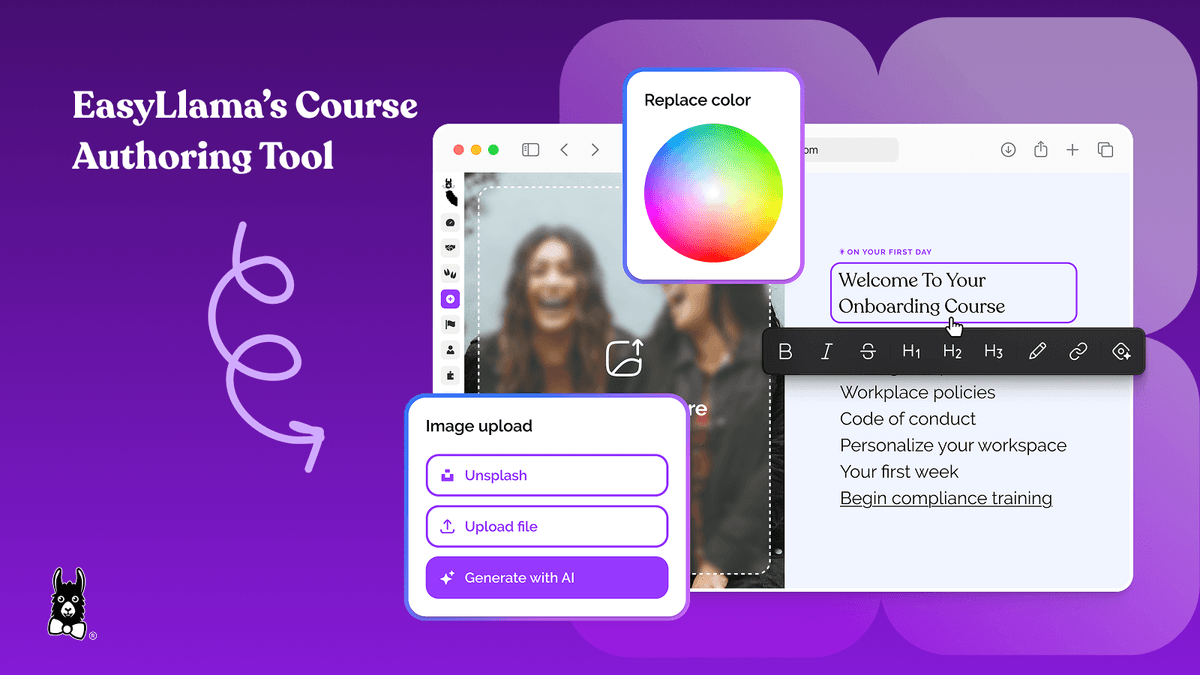
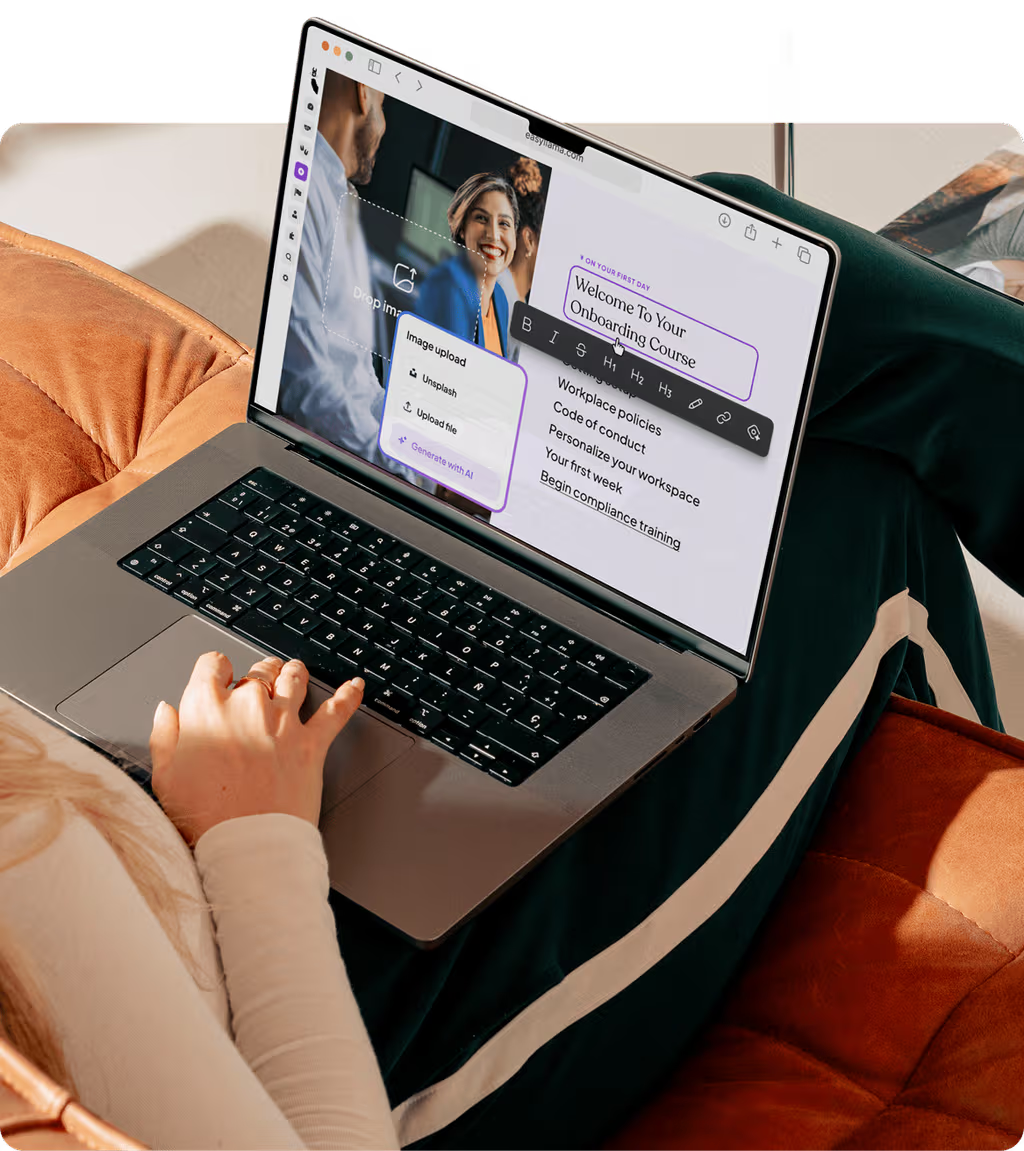
This is exactly the gap EasyLlama's AI Course Authoring Tool is built to close — admins can generate role-specific training from a single prompt, or repurpose existing PDFs and policy handbooks into scenarios that actually reflect each team's day-to-day risk.
Regulations vary by location
Compliance obligations don't just vary by role. They vary by ZIP code. Harassment prevention mandates differ between California, New York, and Illinois, and a company expanding into new states often finds out about a gap only after it's already a liability — usually during an audit or, worse, an investigation.
This is one of the harder problems for a growing HR team to solve manually, because it means someone has to track legislative changes across every state you operate in, then map those requirements to the right employees. EasyLlama's compliance features handle that mapping automatically, identifying which training is required versus recommended based on each employee's location, industry, and role, so HR isn't stuck manually interpreting requirements or over-assigning training just to be safe.
Pipl, a 150-person remote company spread across 15 states, ran into this directly as they scaled. Rather than assigning the same broad course to everyone regardless of location, they narrowed training to what actually applied to each employee's state. Anne Gleaton, Pipl's Director of HR and Talent, put the math simply: "EasyLlama helps us save a lot of time when you have a more specific narrow focus into each requirement. When you think about training 100 people, for instance, taking a one-hour location-specific EasyLlama course versus our old, broader training that lasted two hours, you've just saved 100 working hours." That's the return on getting location-based customization right instead of defaulting to the broadest course available.
What "real" customized corporate compliance training looks like
Most vendors will tell you their training is customizable. Fewer can tell you what that actually means, and that gap is worth understanding before you sign anything.
Superficial customization versus policy-aligned training
Adding your logo, swapping in your brand colors, or dropping in a CEO welcome video doesn't make training customized in any way that matters for compliance. It makes it look customized. Real customization means your company's actual policies are embedded into the course content, scenarios reflect your actual workplace, learning paths differ by role, regulatory content adjusts by location, and every acknowledgment is captured with a digital signature.
If you're evaluating vendors, that difference is worth turning into a checklist. Ask whether the platform supports policy integration, role and location logic, scenario customization, acknowledgment tracking, and audit-ready documentation. If a vendor can only speak to the first item on that list, you're looking at a skin, not a solution.
Building custom training without an instructional design team
Here's something I don't think gets said enough: most growing companies don't have a dedicated L&D or instructional design function. HR managers are building training themselves, in between running payroll, fielding a harassment complaint, and interviewing for three open roles. That was true for me at both companies I helped scale, and it's true for most HR leaders I talk to now.
Annette Shuler, Operations Manager at Aurora Consulting Group, described exactly this kind of ownership: "We are just starting to delve into the custom trainings we can create, and we also love that each employee can assign their own trainings based on their roles and individual needs." That's the bar — a small HR team building real customization without outside help.
EasyLlama's AI Course Authoring Tool is built for that reality. It lets admins generate custom compliance training from a single prompt, or repurpose PDFs and policy handbooks that already exist, then tailor the result with a range of layouts and media. The outcome is training that matches your policies, your culture, and your real workplace scenarios, without requiring design skills or a vendor's turnaround time. Sarah Mackay, HR Director at Adams Fairacre Farms, summed up why that matters for a growing retail organization: "If you're looking for something that is easy to use, easy to implement, modern, and really customizable, then EasyLlama is the right fit for you."
How to build and scale custom training across roles and locations
Once you understand what real customization requires, the next question is how to build it without duplicating your own work every time something changes.
1. Map training to roles and risk profiles
Start by auditing your organization's role structure and identifying which compliance topics apply to which groups. Managers typically need leadership-specific harassment prevention content; individual contributors need general awareness modules. A simple matrix works well here — roles on one axis, compliance topics on the other, with "required" or "recommended" marked at each intersection.
Once that matrix exists, automated assignment rules take over the manual tracking. EasyLlama assigns the right training to the right employees based on role, team, or specific triggers, so HR isn't managing each enrollment by hand.
2. Add location-specific requirements
Layer location-based regulatory requirements onto that same role matrix. California supervisors, for example, need training aligned to the state's harassment prevention supervisor requirements that employees in other states don't. Set this up once, and the system applies it automatically as new hires join specific locations. EasyLlama's compliance features use this same logic to flag mandatory requirements by location, industry, and role, so HR can see what's required versus recommended without researching every state from scratch.
3. Build modular content you can update once and reuse everywhere
Build your core compliance content once, then layer role-specific or location-specific variations on top of that shared foundation. This is what prevents the duplication problem: when a company policy changes, you update the core module once instead of editing a dozen separate courses. EasyLlama's AI-powered editing tools support quick updates at any time, so training stays aligned with your evolving policies instead of drifting out of date.
4. Automate assignments and learning paths
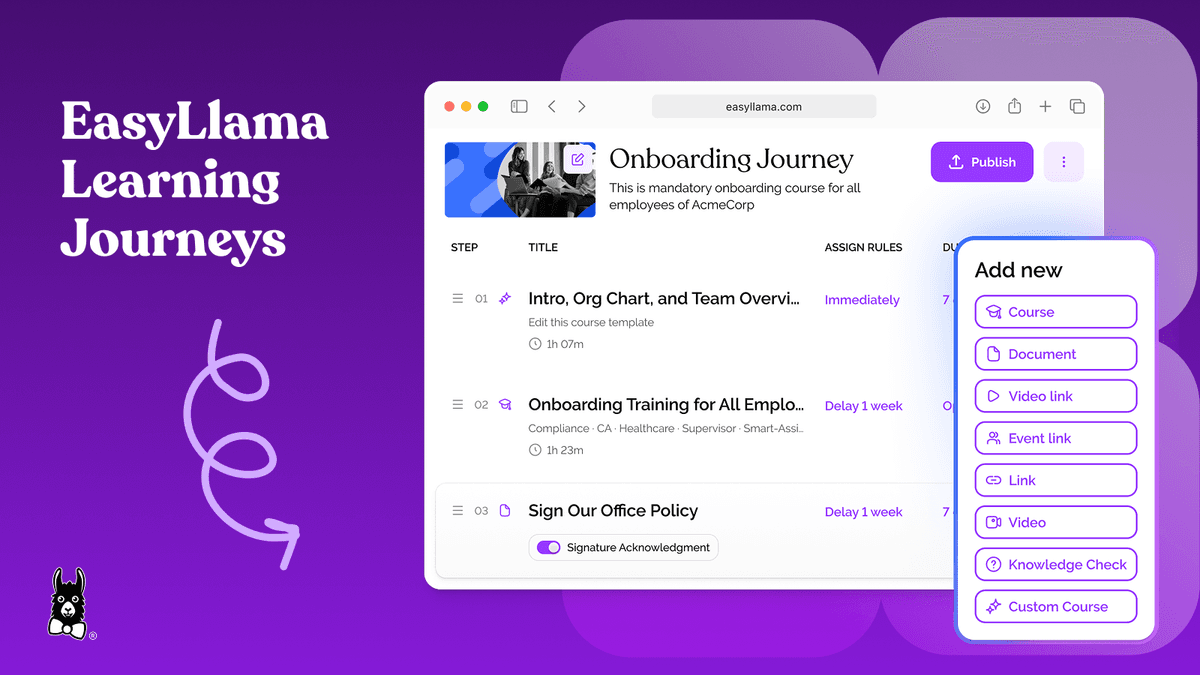
Learning Journeys organize multiple courses into guided sequences, so employees take the right training in the right order based on role, location, and skill level. Workflow automations handle the recurring parts: assignments triggered by role changes, renewal cycles for recertification, and reminders sent by email and SMS that boost completion without HR manually chasing people down.
For a growing company, this is the difference that matters most. As you add offices, roles, or employees, the training program scales with you instead of requiring HR to reconfigure something every time headcount changes.
How to track, report, and maintain audit readiness
Customization only holds up if you can prove it. That means having the tracking and documentation to back up what you've built.
Centralize completions, acknowledgments, and certificates
Scattered tracking — spreadsheets here, a shared drive there — creates real compliance risk. When an auditor or investigator asks for proof of training, HR needs records that are complete, timestamped, and exportable on short notice. EasyLlama's Document Management & Document Signature tools centralize document assignments, capture digital signatures, and let admins filter records by department, role, or location to spot gaps before they turn into liabilities. Certificates export in a single click, which matters more than it sounds like it should when you're staring down an audit deadline.
Use reporting to identify gaps and prove compliance
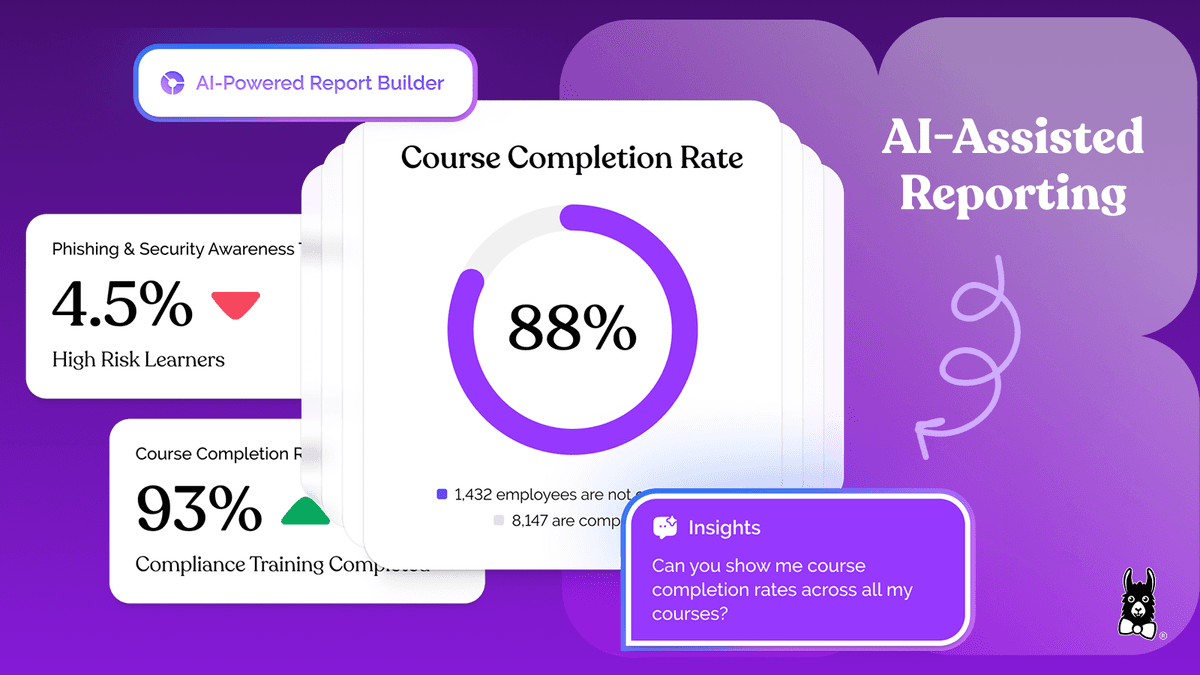
A Custom Report Builder surfaces completion gaps, engagement trends, and risk areas across teams and roles without manual data compilation. Admins can build dashboards filtered by the metrics and KPIs that matter most, which makes it possible to demonstrate training effectiveness to leadership and respond to an audit request with confidence instead of a scramble.
Reporting is worth thinking about as more than a compliance box to check. Done well, it's proof that training isn't just getting completed — it's actually changing behavior and reducing risk across the organization.
Build training employees will actually complete
Customization alone doesn't guarantee engagement. Training also has to be accessible, mobile-friendly, and built for how people actually work today — which for a lot of your workforce means not at a desk, and not always mid-shift.
Mobile-first design paired with scenario-based content lets employees take short, interactive lessons that mirror real workplace risks, on whatever device they have. Kiosk Mode extends that same access to frontline workers who don't have a company email address, which is a real gap in a lot of legacy training platforms.
Shake Shack put this to the test across more than 300 locations, and it's held up. Lorin Dunphy, Vice President of People Practices at Shake Shack, told us: "Some of the feedback that we've received is how realistic and relatable the training feels. It's a diverse cast of characters, the scenarios are relatable, and the in-the-moment knowledge checks really help that self-paced learner engage with the tool. We really like the fact that EasyLlama saves our learners' spots — it knows where they need to pick back up and continue." That's what makes it possible for employees to complete training in 15-minute bursts between shifts without losing progress across devices, even in a high-turnover environment. You can read the full Shake Shack case study here.
Zenetec's HR Manager, Samantha Sherman, described a similar shift after moving away from generic content: "We wanted training that actually reflected how we work at Zenetec, and now with EasyLlama, we can build and update that internally as the company continues growing." For Zenetec, that meant training that stayed consistent across eight locations, felt like their own company instead of a licensed template, and scaled as the business grew — all without the outside costs they'd been carrying before.
If you're ready to see what that looks like for your team, book a demo to see how EasyLlama helps growing teams build, customize, and scale compliance training without adding to the admin pile.
Share this


Frequently
Asked
Questions

- Use a tool built for non-designers, like EasyLlama's AI Course Authoring Tool, which generates training from a single prompt or from policy documents you already have. It handles the layout and media so HR doesn't need design or instructional expertise to build something that reflects your actual workplace.
- es — and you should build for it from the start. Modular content lets you update a core module once and have that change flow through every role- or location-specific version built on top of it, rather than editing each version separately every time something changes.
- Customized training that's tied to centralized documentation — completions, digital signatures, and exportable records filtered by role, department, or location — gives you a defensible paper trail. That's what turns "we did the training" into proof you can hand an auditor or investigator on short notice.
- Superficial customization changes how training looks: your logo, your colors, a welcome video from leadership. Meaningful customization changes what's in the training: your actual policies, role-specific and location-specific scenarios, and acknowledgment tracking tied to those policies.
 Articles
Read More Blogs
Explore what others in your field are learning

How to Automate Compliance Reporting (Without Spreadsheets)
Learn how to automate compliance reporting for your HR team with real-time dashboards, automated alerts, and audit-ready evidence you can pull in minutes.

Alicia Falcon

LMS Competency: How To Support Skill-Based Digital Learning
Learn what LMS competency means, how it supports skill-based learning, and how EasyLlama helps track and build workforce readiness.

Blaine Sanders
16 Best LMS Platforms Compared For Effective Employee Training
Check this side-by-side comparison of the 16 top LMS platforms by features, integrations, pricing, and rating to help your company find the best fit for employee training.
Blaine Sanders
Start Modernizing Workplace Compliance
It’s easy to get started with EasyLlama. Speak with one of our compliance experts and get a demo tailored to your business’s needs.