How to Automate Compliance Reporting (Without Spreadsheets)



Learn how to automate compliance reporting for your HR team with real-time dashboards, automated alerts, and audit-ready evidence you can pull in minutes.

Learn how to automate compliance reporting for your HR team with real-time dashboards, automated alerts, and audit-ready evidence you can pull in minutes.
Test Your Compliance
Find out if your company is compliant in two minutes with our free Compliance Grader.
Get Your Free ReportIt's audit season. You're pulling training data from three different systems into a spreadsheet that's already outdated by the time you finish formatting it. You email managers for missing records, manually cross-reference completions against headcount, and hope nothing slips through the cracks before the auditor arrives.
If that sounds familiar, you're not alone. For most teams, the gap between "compliant" and "proving it" comes down to one thing: how they handle reporting.
Automated compliance reporting replaces spreadsheet wrangling with real-time dashboards and centralized records, giving you audit-ready evidence you can pull in minutes instead of days.
This article covers the warning signs that your manual process is costing you, what automated compliance reporting actually looks like for HR teams, how to set it up step by step, and how AI can take your reporting even further.
Signs your compliance reporting process needs automation
HR teams don't always realize how much time and risk their manual processes create until something breaks. Here are the warning signs that signal your current approach is no longer sustainable:
-
You're consolidating data from multiple disconnected systems. If pulling a single compliance report means logging into your HRIS, checking a shared drive, scanning email threads, and reconciling everything in a spreadsheet, errors are inevitable. Each manual handoff introduces the risk of missed completions or outdated records.
-
You scramble before every audit or leadership request. When someone asks for proof of compliance and your first instinct is panic, that's a reactive process. Audit-ready teams can generate reports on demand. If your team needs days to compile evidence, you're spending time on work that should take minutes. (Not sure what that looks like? An audit compliance checklist is a good starting point.)
-
Different managers track completions differently. Without a single source of truth, one manager might use a spreadsheet while another relies on email confirmations. A third might not track completions at all. Inconsistent data makes it nearly impossible to get an accurate picture of organizational compliance.
-
You're chasing employees individually about overdue training. Sending one-off emails to remind employees about incomplete courses is a time sink that doesn't scale. Every hour spent on manual follow-up is an hour not spent on strategic HR work.
-
Scaling across locations or state-specific requirements breaks your process. Spreadsheets that work for a single office become unmanageable when you're tracking compliance across multiple states, each with its own training requirements and deadlines. If you're managing multi-state HR compliance, you already know how quickly this compounds.
These aren't just inconveniences. Each one increases the chance of non-compliance, missed deadlines, or a failed audit that puts your organization at legal and financial risk.
What automated compliance reporting looks like for HR teams
So how can you automate compliance reporting in a way that fits HR workflows? It starts with three foundational components that replace the manual processes described above.
Automation starts with connected data that keeps records current, then adds real-time visibility in place of static spreadsheets and replaces manual follow-up with automated reminders.
Centralized data from connected systems
When your employee records and training assignments stay current on their own, you eliminate the manual reconciliation that eats up hours every week. That starts with syncing your HRIS and payroll systems to your training platform so that when an employee is hired, transferred, or terminated, their training record updates automatically.
In practice, a "single source of truth" means one dashboard showing completion status and overdue assignments, with upcoming deadlines visible across every department and location. No more reconciling data across systems or wondering if a spreadsheet is current.
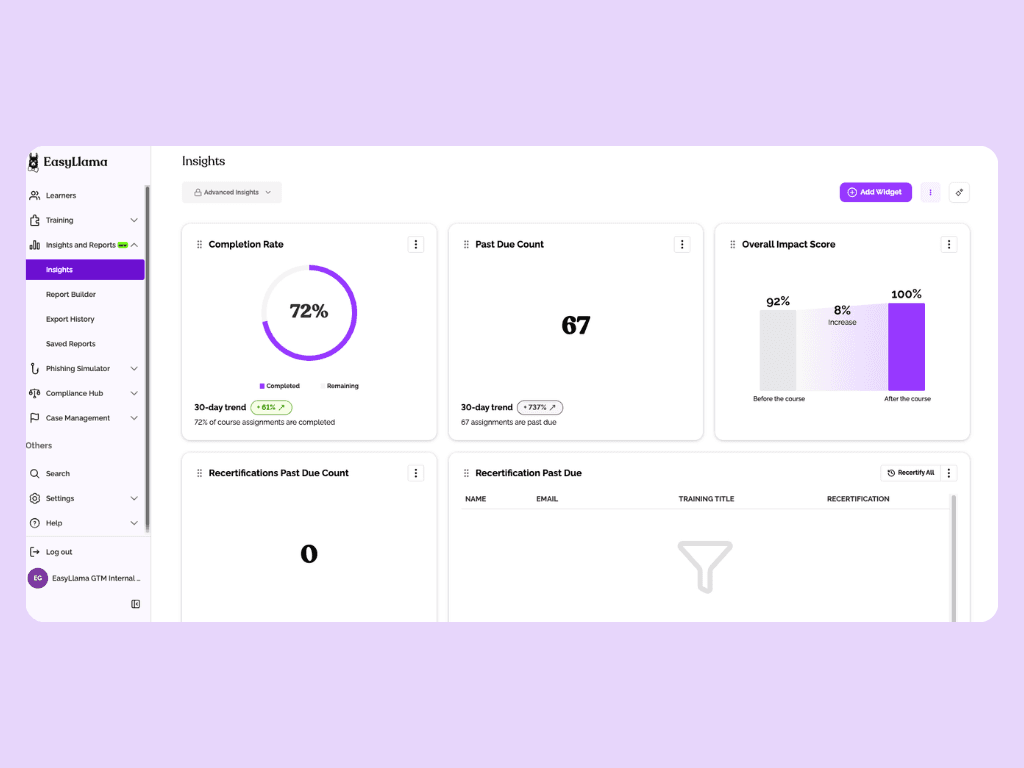
EasyLlama, for example, integrates with most common HRIS and payroll platforms, so that employee records and training assignments stay current through hires, transfers, promotions, and terminations without manual data entry.
For a deeper look at how LMS integrations support this kind of automation, we've put together a separate guide.
Real-time dashboards instead of static exports
A spreadsheet is outdated the moment you save it. A live compliance dashboard updates continuously as employees complete training, new assignments are triggered, and deadlines approach.
Real-time visibility also lets HR teams spot compliance gaps early rather than discovering them during an audit. Instead of asking "are we compliant?" and waiting days for the answer, you can check a dashboard and know immediately.
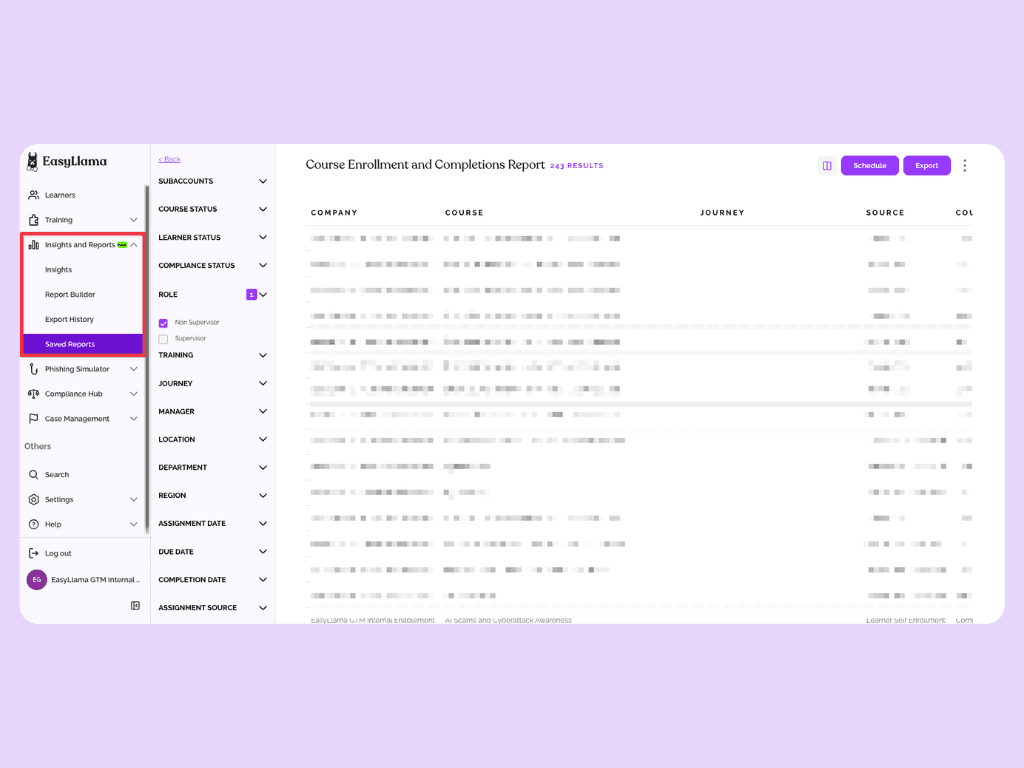
Segmentation by department, location, role, or course type gives managers the specific view they need without building custom reports from scratch. With a platform like EasyLlama, the Insights Dashboard shows completion status and overdue assignments across every department and location, updating automatically as employees move through training.
Automated alerts and reminders
Manual follow-up for overdue or incomplete training is one of the biggest time drains in compliance administration. Automated email and SMS reminders replace the cycle of sending individual emails and hoping employees respond.
This removes the administrative burden of chasing employees one by one. It also increases completion rates by meeting people where they are. Most modern training platforms, including EasyLlama, send scheduled reminders across multiple channels so overdue assignments are surfaced and followed up automatically without any manual effort.
How to set up automated compliance reporting step-by-step
If you're wondering how to automate HR compliance reporting, the process is more straightforward than you might expect. Here's a practical walkthrough for moving from spreadsheets to automated reporting. We're using EasyLlama as an example, but the general steps apply to any platform with these capabilities.
- Set up a custom compliance dashboard. Select the metrics and views that matter most to your team: training completions and overdue assignments, segmented by team or location. Start with the data points you currently track manually so the transition feels familiar.
- Configure segmentation by team, department, and location. Each manager should see only the data relevant to their group. This eliminates the need for filtered spreadsheets and gives department heads direct visibility into their team's compliance status.
- Schedule automated report delivery. Set up completion summaries, overdue alerts, and status updates to go directly to managers' inboxes on a regular cadence. Weekly or biweekly reports keep stakeholders informed without requiring them to log into a dashboard.
- Use an AI-powered Reporting Assistant for tailored reports. EasyLlama's Custom Report Builder lets you create reports filtered by department, state, role, or course. Instead of building pivot tables in a spreadsheet, you can generate the exact report you need without IT support.
(Note: For a more detailed look at LMS reporting metrics and how to configure them, we've written a dedicated guide.)
These steps add up to real-time savings. When Pipl switched from broad, manual training administration to focused, location-specific compliance delivery with EasyLlama, they saved 100 working hours per 100 learners. That kind of time savings adds up quickly across an organization.
How AI simplifies compliance reporting even further
For teams already asking how to automate compliance reporting with AI, the answer goes beyond basic scheduling and dashboards. AI-assisted reporting surfaces insights, identifies patterns, and generates reports from natural-language queries.
Instead of building filters and pivot tables manually, an AI-enabled Reporting Assistant lets admins ask for what they need in plain language. A query like "show me overdue harassment prevention training by state" returns the exact report without configuring columns and formulas.
AI-driven tools can also surface compliance gaps proactively. They flag teams or locations trending toward non-compliance before deadlines pass, turning audit preparation into a routine check instead of a scramble.
EasyLlama's Course Authoring Tool extends this AI-assisted approach to content creation as well. HR teams can convert PDF policies into interactive, scenario-based training in minutes. Then they can track completion and reporting for that custom content through the same automated system.
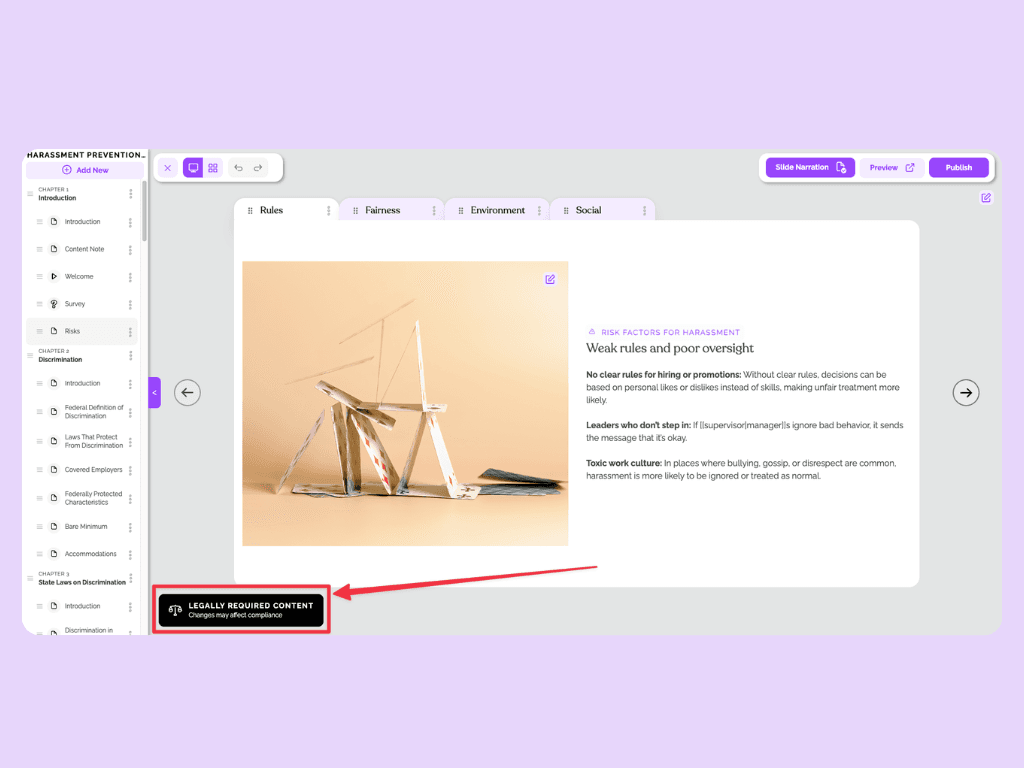
AI enhances the automation foundation rather than replacing it. The connected data, real-time dashboards, and automated reminders described earlier are still the core. AI makes them smarter.
Stop scrambling and start reporting with confidence
Automated compliance reporting gives HR teams real-time visibility and audit-ready evidence without a single spreadsheet. The shift from manual to automated doesn't require a massive overhaul.
Start by recognizing the signs that your current process is costing you, then understand what automation actually replaces so you can set up a system that keeps your organization compliant by default.
EasyLlama, trusted by thousands of organizations and highly rated on G2, brings all of this together in one platform. Real-time dashboards give you instant compliance visibility, HRIS integrations keep your data current automatically, and the AI-powered Custom Report Builder puts audit-ready reports at your fingertips.
Book a demo to see how EasyLlama can make your team audit-ready in minutes.
Share this


Frequently
Asked
Questions

- Automated compliance reporting uses software to collect, organize, and present training completion data without manual spreadsheet work. Instead of pulling records from multiple systems and formatting them by hand, an automated system centralizes data, updates in real time, and generates audit-ready reports on demand.
- Spreadsheets require manual data entry, are outdated the moment they're saved, and break down as organizations scale across locations or state-specific requirements. Automated reporting pulls data directly from connected HRIS and training systems, updates continuously, and lets teams generate reports in minutes rather than days.
- Start by connecting your HRIS and payroll systems to a training platform that supports automated data syncing. Set up a centralized dashboard to track completions and overdue assignments, configure automated reminders for employees, and schedule regular report delivery to managers. EasyLlama's platform handles all of these steps with 100+ integrations and built-in reporting automation.
- Prioritize the reports you pull most often or that carry the highest stakes: training completion rates by department and overdue assignment summaries first, since these drive the most manual effort. Audit-readiness reports showing completion certificates and policy acknowledgments carry the highest stakes and should follow immediately.
- Yes. Platforms like EasyLlama offer location-specific compliance content and can segment reporting by state, so HR teams can track whether employees in each location have completed the training their state requires. This is especially valuable for organizations operating in multiple states with different requirements like harassment prevention training or state-specific workplace safety mandates.
 Articles
Read More Blogs
Explore what others in your field are learning

What Is Compliance Reporting? A Practical Guide for HR Teams
Learn how HR teams should be tracking and documenting training completions, policy acknowledgments, and certifications to prove your organization meets its legal and regulatory obligations

Sarah Hamilton

What is Compliance Audit Procedure: Why It's Necessary and How You Can Avoid Penalties

EasyLlama is now SOC2 Type I certified
Big News: EasyLlama is now SOC2 Type I certified!

Michael Devyver
Start Modernizing Workplace Compliance
It’s easy to get started with EasyLlama. Speak with one of our compliance experts and get a demo tailored to your business’s needs.