Tips and Techniques for Safe Navigation
Navigating the internet with confidence requires more than just basic know-how. It's about being equipped with the right strategies and understanding the intricacies of the digital landscape.
Understanding HTTP vs. HTTPS: The Security Divide
One of the foundational elements of web security lies in the protocols used to access websites. While HTTP is the standard protocol, HTTPS brings an added layer of encryption, ensuring that the data exchanged between you and the website remains private and secure.

With cyber threats looming large, integrating practical techniques into daily browsing habits can make a significant difference in ensuring digital safety.
Using private browsing or incognito mode can reduce the risk of unwanted tracking, ensuring a more anonymous browsing experience.
Before entering personal details or making transactions, it's vital to assess a website's security credentials. Look for indicators like a padlock symbol or certification badges.
Efficiently managing tabs not only improves browser performance but also reduces the risk of accessing potentially malicious sites.

Navigating Public Wi-Fi: Convenience vs. Risk
Public Wi-Fi networks, often available in places like cafes or airports, provide convenient internet access. However, they may expose devices to potential eavesdropping or malicious attacks. It's essential to weigh the convenience against the potential security risks and take necessary precautions.
Effective Communication in the Digital Age
In an era where digital communication is ubiquitous, ensuring the authenticity and privacy of our messages is paramount.
Here are some myths to look out for:
- -
Opt for encrypted messaging platforms.
- -
Avoid sharing sensitive information in messages.
- -
Be wary of unsolicited messages from unknown senders.
- -
Understand the importance of non-personalized messages for added security.
- -
Always verify the authenticity of messages requesting personal or financial information.

Master Safe Navigation with EasyLlama
Dive into interactive modules that offer practical insights, from understanding web protocols to efficient tab management. Equip yourself with the skills to navigate the digital realm securely, ensuring you're always a step ahead of potential threats. Embrace the internet with knowledge, confidence, and peace of mind.
Helping over 8,000 organizations create a safer, more productive workplace


















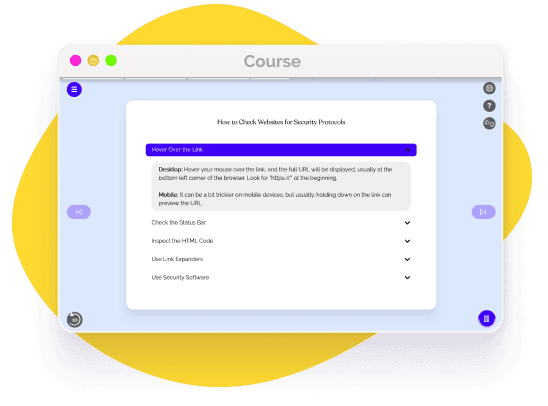
The goal of this training is to equip employees with the knowledge and skills needed for confident digital safety and navigation, protecting their personal and professional data online. This course covers:


 Get more from EasyLlama