Devices, Accounts, and Password Protection Training
Navigating the internet with confidence requires more than just basic know-how. It's about being equipped with the right strategies and understanding the intricacies of the digital landscape.
Protecting Your Devices
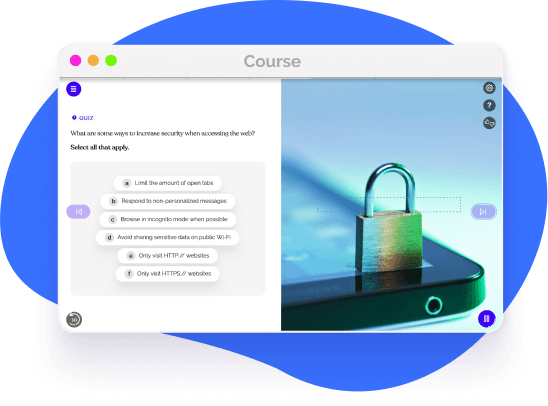
Every device, be it a smartphone, tablet, or computer, is vulnerable to threats. Implementing robust security measures, updating software regularly, and being cautious with downloads can substantially decrease the risk of compromise.
In our digital lives, we often amass numerous accounts and apps. Maintaining and securing them demands a proactive approach and continuous vigilance.
Over time, unused accounts become potential vulnerabilities. Regularly pruning and deleting accounts that are no longer in use helps in reducing the digital footprint and potential attack vectors.
Before adding any app to your device, it's vital to verify its authenticity, check reviews, and ensure it's sourced from legitimate app stores.
These disposable accounts are excellent tools for registrations or trials, minimizing the exposure of primary email accounts to potential spam or security risks.

Passwords Are The Cornerstone of Digital Security
A password acts as the primary barrier against unauthorized access. Crafting strong, unique passwords and updating them periodically is essential. Moreover, avoiding common pitfalls, like using easily guessable phrases or sharing passwords, further reinforces this line of defense.
Navigating Shared Devices and Ensuring Privacy
Sharing devices with family, friends, or colleagues is common. However, it's crucial to strike a balance between convenience and security when multiple users access a single device.
Here are some myths to look out for:
- -
Implement user profiles for shared computers.
- -
Use guest modes on smartphones or tablets.
- -
Ensure automatic locking after inactivity.
- -
Regularly clear browsing history and cache.
- -
Avoid saving passwords on shared devices.

Empower Your Digital Safety By Mastering Device Protection and Password Creation
From understanding the nuances of device protection to mastering the art of password creation, our interactive modules equip you with the tools to stay safe in the digital age. Embrace the interconnected world with confidence, knowing that you're empowered with the best practices to protect your digital identity.

Helping over 8,000 organizations create a safer, more productive workplace


















The goal of this training is to equip employees with the knowledge and skills needed for confident digital safety and navigation, protecting their personal and professional data online. This course covers:


 Get more from EasyLlama