How to Choose an LMS: A Practical Checklist for HR and L&D Leaders



Discover how to choose an LMS that fits your compliance needs, engages learners, and integrates seamlessly with your existing tech stack.
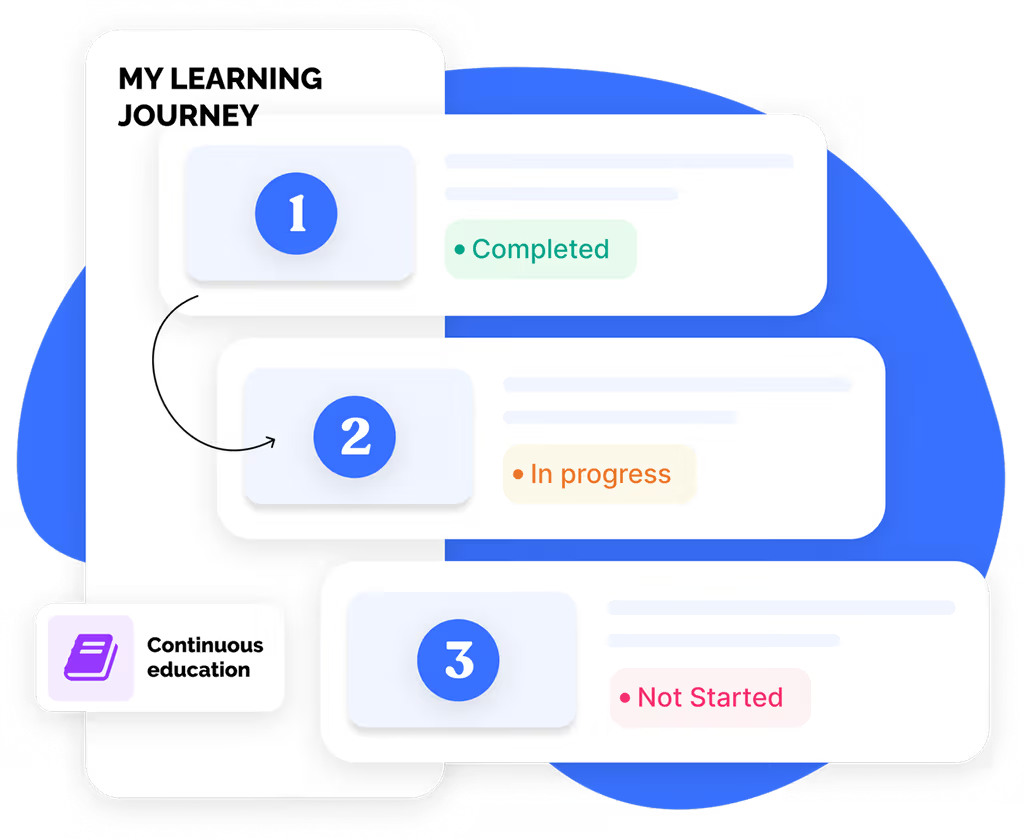
This article covers everything you need to know from how to choose an LMS that fits your compliance needs, engages learners, to integrating seamlessly with your existing tech stack.
Test Your Compliance
Find out if your company is compliant in two minutes with our free Compliance Grader.
Get Your Free ReportChoosing a learning management system (LMS) is a high-stakes decision. HR and L&D leaders need training that adapts to dispersed, fast-moving teams.
Many platforms are clunky, outdated, or overloaded with features that create more friction than value. The right LMS should simplify your training strategy while matching how people like to learn today.
With the right system, you can roll out training faster, reduce manual work, and keep teams engaged. With features like AI course authoring, real-time reporting, and automation, creating effective content is easier than ever.
This guide offers a practical, step-by-step framework for evaluating LMS options with confidence.
You’ll learn what to prioritize, which questions to ask, and how to choose a platform that reflects how your teams actually work, so you can spend less time troubleshooting and more time making an impact.
How to define your LMS requirements
Before you compare LMS vendors or skim through feature lists, get clear on what your organization actually needs. This first step gives you a real benchmark so you can focus on platforms that solve real business problems.
Identify your training goals and audience needs
You need to narrow in on what success looks like for your team so you can choose an LMS that supports your actual workflows.
Here are some key training and audience needs to consider:
- Compliance training requirements
- Onboarding processes and timelines
- Role-specific skill development
- Remote, hybrid, and on-site worker access
- Multilingual support or global rollout
- Learner device preferences (mobile, desktop, kiosk)
When you understand both your business objectives and your learners’ needs, it's easier to make a list of essential features and spot the platforms that align.
Document essential compliance and reporting needs
It’s a good idea to run a compliance audit before comparing LMS options.
Identify your required trainings—like harassment prevention, HIPAA, or OSHA—and make sure your new platform can support those needs out of the box.
You’ll also want flexible reporting tools that make it easy to track completions, flag gaps, and export audit-ready records without IT help.
EasyLlama’s LMS lets teams update training as policies evolve, build custom learning paths, and see progress in real time.
Determine technical integration requirements
Map out your current tech stack, including your HRIS, payroll, identity management, and communication tools. Then separate must-have integrations from nice-to-haves. This clarity will help you avoid surprises during implementation and ensure smoother operations post-launch. The more your LMS can sync with existing systems, the less manual work you’ll need to manage behind the scenes.
Evaluate these systems:
- HRIS or employee database
- Payroll system
- Collaboration tools like Slack or Teams
- SSO and identity management
- Current LMS or learning tools
- Reporting and analytics platforms
Strong integrations save a lot of time down the road, so it’s wise to do a full assessment. You want to pick a tool that will work for your business for years to come.
4 Essential LMS features for modern workplaces
Today’s HR and L&D teams need more than just compliance checkboxes.
A modern LMS must combine regulatory readiness with engaging, accessible learning experiences that fit how people actually work.
Here are four must-have feature categories to check for.
1. User experience and accessibility features
A seamless LMS experience starts with a design that feels intuitive—for both admins and learners.
When platforms are easy to navigate and accessible across devices, training becomes something people want to engage with, not avoid. Modern LMS platforms should also be inclusive by design, ensuring everyone can participate regardless of location, language, or ability.
We recommend that you look for:
- Intuitive user and admin interface
- WCAG-compliant accessibility features
- Multi-language support
- Flexible access via mobile, desktop, or kiosk mode
- Options for in-person and remote delivery
EasyLlama delivers on all fronts with a mobile-friendly, inclusive experience built for today’s workforce.
2. Customization and AI-powered content creation
Your LMS should reflect your policies, your brand, and your people. The right platform offers flexibility to use pre-built content or build your own from scratch.
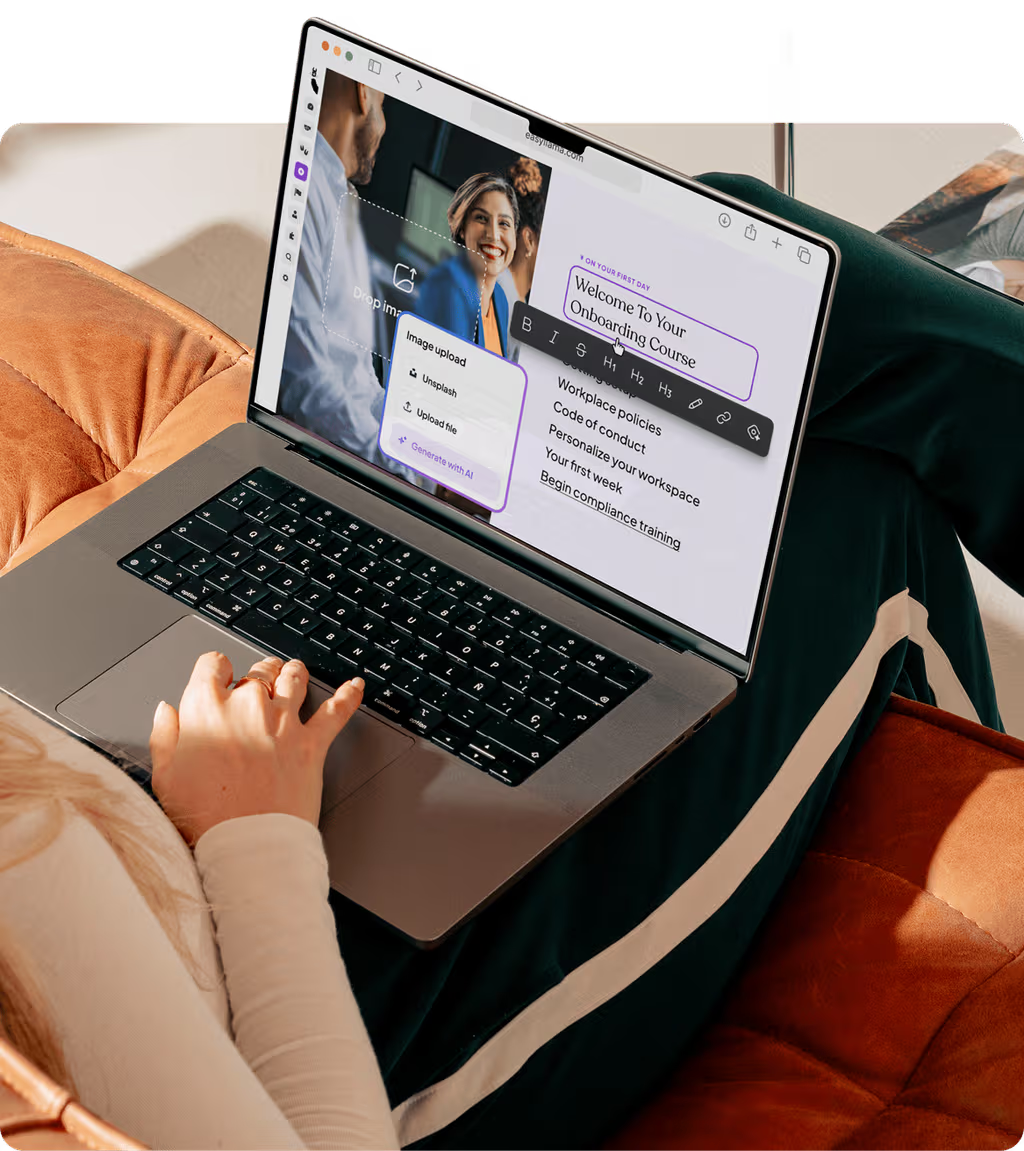
EasyLlama provides legally vetted compliance courses you can edit, as well as a built-in Course Authoring Tool that uses AI to turn prompts, docs, or PDFs into complete, on-brand training. You can start from a template or upload custom content to fit your needs.
Choose an LMS that supports:
- Editable pre-built course templates
- AI-powered course creation from a prompt or file
- Drag-and-drop editing and branded visuals
- Multimedia options like video, quizzes, and flashcards
- SCORM/xAPI upload support and microlearning formats
These features ensure your content is compliant and adaptable to your team’s needs.
3. Automated compliance management tools
For HR and L&D teams, compliance shouldn’t mean endless spreadsheets or last-minute scrambles before audits.
Automation makes compliance management continuous—not chaotic—by handling the repetitive tasks that drain time and focus.
The right LMS automates assignments, recertification reminders, and reporting, ensuring no one slips through the cracks and every record stays audit-ready.
These are the most essential automation criteria to vet for:
- Scheduled course assignments and reassignments
- Recertification alerts for expiring training
- Real-time progress tracking and notifications
- Audit-ready reporting exports
- Automated learning journeys and content suggestions for learners
EasyLlama’s automation tools simplify ongoing compliance, allowing admins to assign, track, and reassign training in just a few clicks.
4. Reporting and analytics capabilities
A modern LMS should give you visibility into how well it’s working. With tools like real-time dashboards, customizable reports, and scheduled exports, HR leaders can monitor completions, spot compliance gaps early, and share insights with stakeholders.
Key capabilities include:
- Real-time dashboards to monitor learner progress
- Exportable reports for audits or leadership updates
- Department-level analytics to uncover trends
- Automated report delivery to save time
- Engagement metrics and gap analysis for proactive tracking
EasyLlama makes reporting easy, with powerful analytics that keep your team informed and audit-ready.
Make sure to download our Buyer’s Guide for a full list of key features across nine categories.
Evaluating different types of LMS platforms
Not every LMS is built the same. Choosing the right type of platform can directly impact your rollout speed, IT lift, and long-term flexibility.
Here's a quick breakdown to help you match platform type with your organization’s needs, structure, and available resources.
Cloud-based vs. on-premise solutions
Cloud-based LMS platforms are hosted remotely, offering faster deployment, lower upfront costs, and automatic updates. They’re ideal for lean teams or organizations that want a low-maintenance solution.
On-premise systems are hosted on your own servers, giving IT full control but requiring more setup, manual updates, and internal support. Cloud options typically provide better scalability, easier access across devices, and built-in security monitoring. They provide a lot more benefits for distributed or growing teams.
Specialized compliance LMS vs. general-purpose platforms
If your top priority is meeting regulatory requirements, a specialized compliance LMS might seem like the obvious choice. These platforms are typically built with compliance-first functionality, offering features like pre-vetted training and automated tracking. But while they’re great for staying audit-ready, they often lack the flexibility to support broader learning goals across the employee lifecycle.
Specialized compliance LMS platforms typically offer:
- Pre-built, legally vetted compliance course libraries
- Automated scheduling and recertification reminders
- Audit-ready documentation and reporting tools
- Limited customization for content or branding
- Minimal support for non-compliance use cases like onboarding or skills development
In contrast, general-purpose LMS platforms with compliance capabilities can offer a more scalable, flexible solution, especially for teams balancing different types of training needs.
Meanwhile, general-purpose LMS platforms often include:
- Editable templates and AI-powered tools for custom content creation
- Automation that works across both compliance and upskilling workflows
- Flexible reporting for engagement, progress, and audit readiness
- Drag-and-drop course builders with multimedia support
- Support for onboarding, DEI, leadership, and other learning journeys
For organizations that need compliance confidence and content versatility, a general-purpose LMS with strong compliance features offers the best of both worlds. Learn more about EasyLlama’s all-in-one compliance and learning platform.
Open-source vs. commercial LMS options
Open-source LMS platforms may seem appealing for their low upfront cost, but they often require significant developer resources to maintain, making them less practical for lean or non-technical teams.
In contrast, commercial LMS tools are typically easier to implement and come with built-in support, compliance features, and automatic updates. This reduces IT dependency.
Open-source tools offer more customization but require technical expertise, but commercial LMS platforms are ready to use out of the box. Open-source options may lack security, hosting, or reliable support, while commercial platforms often include dedicated onboarding and customer service.
That’s why many HR and L&D teams focused on compliance and scale choose commercial LMS platforms. They offer a faster path to value without the hidden maintenance costs or technical lift of open-source systems.
The LMS selection process step-by-step
Provide a clear roadmap for evaluating and selecting the right LMS, ensuring readers understand each phase of the decision-making process.
Step 1: Assemble your selection team
Before you dive into vendor demos or platform comparisons, build the right team to guide your LMS selection process.
A cross-functional group helps ensure you’re making a decision that works across the organization, not just for one department. HR and L&D leaders bring clarity around training goals and compliance needs. IT stakeholders can vet integrations and data security. Department managers will validate real workflows, and employee advocates can provide honest feedback on usability.
When everyone at the table has a defined role, the process runs smoother and the final decision reflects how your teams actually work.
Step 2: Create your features checklist
Once your selection team is in place, the next step is to define exactly what your organization needs from an LMS.
Build a detailed evaluation matrix that separates must-have features from nice-to-haves, using it as your benchmark when comparing vendors.
Require these features at a minimum:
- Automated compliance tracking
- AI-powered course authoring
- Multilingual and accessible course delivery
- Real-time reporting and analytics
- Seamless HRIS and payroll integrations
- Automated, personalized learning journeys
For more features, download our Buyer’s Guide. It includes a pre-built feature checklist that covers every essential category. EasyLlama’s team also collaborates directly with HR leaders to tailor the platform’s features around what matters most, including compliance, scalability, and learner engagement.
Step 3: Research and shortlist vendors
With your requirements and checklist in hand, it’s time to explore the LMS landscape. Gather peer recommendations, browse review platforms like G2 or Capterra, and scan industry comparison reports to get a sense of what’s available.
Keep your initial search broad, but filter options out quickly. Aim to identify 3–5 vendors that align with your highest-priority needs.
Look for signals like:
- Consistently high user reviews
- Strong customer support ratings
- Mobile-first design and accessibility features
- Proven compliance training tools
- Integrations with your existing HR systems
EasyLlama often appears on these shortlists for good reason—our platform consistently receives praise for its ease of use, responsive support, and mobile-friendly, compliance-ready design. Check out our curated vendor comparison list soon to shortcut this process even further.
Step 4: Request demos and trial access
You can’t just watch a sales demo. You need to test the platform like your team would actually use it. Come prepared with real scenarios that reflect your workflows, content types, and reporting needs.
Involve end-users early so you can gather direct feedback on usability and navigation.
The right LMS should feel intuitive from the start, not complicated or overwhelming. EasyLlama offers guided demos and flexible trial options, giving HR teams a hands-on way to explore its user-friendly interface and robust features before making a decision.
Step 5: Evaluate implementation and support
A smooth rollout sets the tone for long-term success, so it’s worth asking detailed questions about each vendor’s onboarding process, timeline, and available support. Look for platforms that offer hands-on guidance, admin training, and resources to help your team get up to speed quickly, without relying heavily on IT.
EasyLlama offers a fast, no-code onboarding experience with dedicated support and ongoing resources.
Whether you're migrating content, importing users, or training new admins, we make it easy to launch with minimal friction and scale confidently from day one.
Choose organized training management and tracking tailored to your business
Managing training is easier in the age of AI. With EasyLlama’s built-in Course Authoring Tool, you can design, launch, and update training fast. Use it to build compliance content from scratch or update policies on the fly. Our AI-powered authoring makes it easy to stay current and consistent without added complexity.
You’ll get:
- AI-powered course authoring using prompts and existing assets
- Drag-and-drop course editing that requires zero design experience
- Real-time updates so training keeps pace with policy changes
- Branded templates and multimedia support
- Easy version control for ongoing accuracy
- Support for SCORM/xAPI uploads when needed
- Powerful integrations and automated workflows for admins
- Personalized learning journeys so learners know what to focus on next
EasyLlama is built to support your business’s growth. Book a demo to see how easy training management can be.
Share this


Frequently
Asked
Questions

- The most effective LMS platforms for compliance training combine automation, visibility, and flexibility. Look for features like automated course assignments, recertification alerts, and audit-ready reporting that eliminate manual tracking and reduce risk. Real-time dashboards, flexible content authoring, and mobile access also help teams stay compliant without slowing down operations. EasyLlama simplifies this process with built-in automation and reporting tools designed specifically for ongoing compliance readiness.
- Look for an LMS that integrates seamlessly with your existing HR tech stack. Think HRIS, payroll, SSO, and communication tools like Slack or Teams. Strong integrations reduce manual work, improve data accuracy, and streamline workflows so training happens automatically as employees onboard, change roles, or reach key milestones.
- Start by choosing a platform that’s WCAG-compliant and designed with inclusivity in mind, including support for multiple languages, screen readers, and flexible learning modes like mobile and kiosk. Accessibility also means ease of use, so prioritize intuitive interfaces that work across roles, locations, and tech comfort levels. Involving diverse employee groups during selection and testing helps surface barriers early and ensures your LMS truly meets everyone’s needs. The right LMS does more than check the boxes. It adapts to how your people learn and work while providing the AI-powered tools that course creators and admins need. Download our Buyer’s Guide for a comprehensive feature checklist. [**Book a demo**](https://learn.easyllama.com/demo) **to see how EasyLlama delivers accessibility and performance.**
 Articles
Read More Blogs
Explore what others in your field are learning
LMS for Microlearning: What Is It & How To Choose The Right One
Discover how a microlearning LMS boosts retention, simplifies compliance, and helps teams train faster with short, focused learning modules.

Blaine Sanders

LMS Implementation Strategy: 6-Step Guide for HR and L&D Teams
Learn how to implement your new LMS with ease. This 6-step LMS implementation guide helps HR & L&D teams plan, launch, and measure success.
Sarah Hamilton

LMS Competency: How To Support Skill-Based Digital Learning
Learn what LMS competency means, how it supports skill-based learning, and how EasyLlama helps track and build workforce readiness.
Blaine Sanders
Start Modernizing Workplace Compliance
It’s easy to get started with EasyLlama. Speak with one of our compliance experts and get a demo tailored to your business’s needs.